Cross-Calling
This section walks you through the various ways you can perform cross-calls between components in the framework.
What Is Cross-Calling?
Cross-calling refers to the ability for one script to invoke functions or access members of another script within the framework.
This enables modular and reusable code by allowing scripts to communicate and share functionality without being tightly bound to each other.
The framework supports several approaches to achieve cross-calling, each suited to different use cases :
- Header Scripts : Share function declarations and common logic across multiple scripts using shared header files.
- The
externKeyword : Directly reference and call functions defined in another script using compile-time linkage between scripts. - Signals & Callables : Signals & Callables: Bidirectional event-driven node wiring via signals and callables.
- Reflection System : All script functions are registered to the engine's reflection system, enabling direct invocation when needed.
📖 Learn more about Jenova Header Scripts
Invocation
In Active Scripts every function defined within a Script Block is automatically registered with the engine's reflection system, making it directly callable via call() and call_deferred() invokers. When invoked through these methods, functions are executed via Jenova Interpreter and receives a Caller object by default.
To perform a cross-call to another C++ script, obtain the node it's attached to and invoke the target function, Here's an example :
void ApplyDamage(Caller* instance, double damage)
{
	...
}
void OnBodyEnteredArea(Caller* instance, Node2D* body)
{
	if (body)
	{
		// Apply Damage
		if (body->has_method("ApplyDamage")) body->call("ApplyDamage", projectileDamage);

		...
	}
}
The example above demonstrates a cross-call using the reflection system, which introduces a Call-chain.
- Only functions called via this method are profiled; functions invoked headers and
externcalls bypass the Interpreter. - You can still profile directly called functions using external profiling tools such as Visual Studio.
- When directly calling a function with self-access, you must construct a
Callerfrom the target node. Here's how :
extern void ApplyDamage(Caller* instance, double damage);
...
ApplyDamage(new Caller(body), projectileDamage);
Call-chain Limits
Currently, Jenova Interpreter does not support multi-context execution. It processes call-chains linearly which introduces a limitation.
The interpreter creates a temporary buffer stack for all script properties and swaps values by pushing/pulling variants to/from each instance before/after execution. However, when a call-chain occurs, properties may not sync properly with the buffer stack.
To solve this, JenovaSDK provides two useful functions :
ForcePushProperties– Forces synchronization by updating instance properties from the buffer stack.ForcePullProperties– Forces synchronization by updating the buffer stack from instance properties.
Only use these functions if properties are not synced properly.
Alternatively, using call_deferred() or Future Functions instead of call() can break the call-chain and delay execution.
Here's an example :
/* Call-chain : Character -> Weapon -> Projectile -> Enemy Ship */
void ApplyDamage(Caller* instance, double damage)
{
    // Pushes Properties to Script Context
    ForcePushProperties(instance);

    ...

    // Now base_damage Property is properly Synced Across Instances
    double total_damage = damage + base_damage;
    health -= total_damage;

    ...
}
Cross-Language Calls
As with C++ scripts, cross-calling via invocation works with any third-party language, including GDScript, C#, Python etc.
This section provides some examples.
Example : Non-Static Function Calling
Let's say we have this function in a built-in GDScript on aNode at path Root/Node3D"
func add_five_and_double_it(value: int) -> int:
    var result = (value + 5) * 2
    return result
To call the function from a Jenova C++ Script, simply do :
void OnProcess(Variant* _delta)
{
    auto* node3d = GetNode<Node>("Root/Node3D");
    auto result = node3d->call("add_five_and_double_it", 10);
    Output("GDScript Function Result : %d", int(result));
}
Example : Static Function Calling
Now let's say we have a static function in a GDScript :static func add_nine_and_double_it(value: int) -> int:
var result = (value + 9) * 2
return result
This is how we call into it :
void OnProcess(Variant* _delta)
{
    auto* node = GetNode<Node>("Root/Node3D");
    auto script = node->get_script();
    if (!script.get_type() == Variant::NIL)
    {
        auto result = node->call("add_nine_and_double_it", 100);
        Output("GDScript Function Result : %d", int(result));
    }
}
📝 Note : Previous method also works on static methods but this one is provided as an alternative for static functions.
Example : Calling C++ Script Functions from GDScript
Here's the opposite example of what we did above. Let's say we have this C++ function :Variant SumUp(int a, int b) { return a + b; }
This is how we call it from GDScript :
func _process(delta):
    var result = get_node("Root/Obj").call("SumUp", 10, 15);
    print("C++ Function Result : %d" % result);
Remember to always return a Variant to GDScript as all values in GDScript are variants.
Using Signal/Callable
Beside the methods described above, you can also perform cross‑calling through the engine’s reflection system using signals.
- In Jenova C++ Scripts, signals are declared with the
JENOVA_SIGNAL(<name>, <parameters>)macro. - Signals are emitted inside methods using
emit_signal(<name>, <args>). - Signals can be connected using
connect(<name>, <callable>)or through the editor’s Signals interface. - Signals operate across all supported languages because they are registered as high‑level engine events.
- All signal parameter types must be compatible with
Variantto ensure safe reflection and dispatch.
Here's an example :
// Register Signals Inside Script Block
JENOVA_SIGNAL(on_damage, String attacker, bool friendlyFire, double damage)
...
// Emit On Damage Signal from A Function
self->emit_signal("on_damage", "Enemy", false, 400.6);
Future Functions
Alongside a multi-threaded task system, Jenova Runtime provides a dedicated dispatcher and future function capability.
A dispatcher collects function calls from any thread and safely executes them one by one on the main thread.
This ensures thread-safe operations by centralizing execution in a single thread.
A future function is a function scheduled to run later after a specified delay, it can be either inline or bound.
Future functions are extremely useful especially in animations, dialog systems and multi-threaded code.
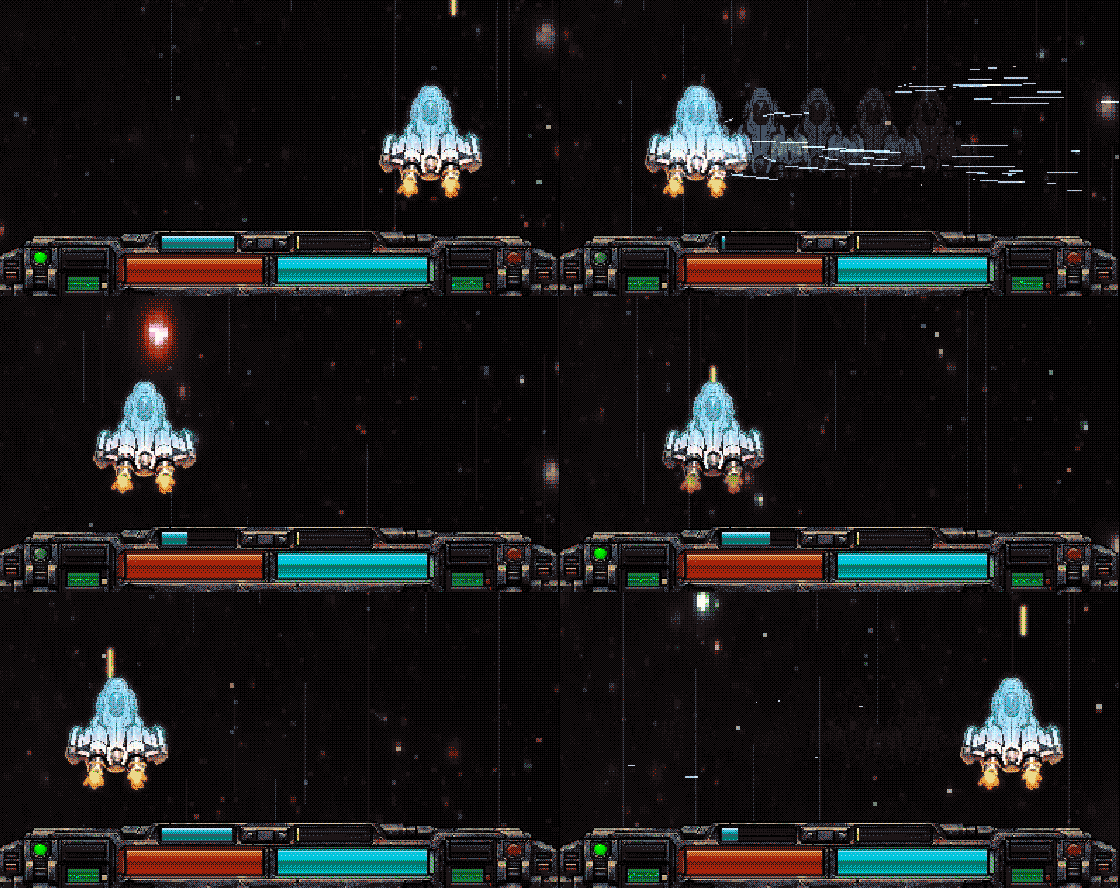
For example, you can update UI elements from a secondary thread, delay an explosion after a spaceship hit, create ghost effects etc.
To create and queue a future function, the following functions are natively provided in JenovaSDK :
QueueFunction– Adds a function to the dispatcher queue. Accepts astd::functionand a delay in milliseconds or seconds.IsFunctionInQueue– Checks if a function is in the queue by its unique identifier. Functions are removed after execution.AbortQueuedFunction– Removes a function from the queue by its unique identifier. Returnsfalseif the function does not exist.
For more details on future function usage, check out the AVO-35 Sample Project.
QueueFunctionThread Dispatching
To execute any function from any thread on the main thread, simply queue it with a zero delay value. Here's an example :
// Thread Function
static void ThreadWorker(Label* label)
{
	for (size_t i = 0; i < 100; i++)
	{
		// Dispatch to Main-Thread
		QueueFunction([=]() { label->set_text(String::num_uint64(i)); }, 0);

		// Delay
		OS::get_singleton()->delay_msec(100);
	}
}

// Jenova Script Block Start
JENOVA_SCRIPT_BEGIN

// Events
void OnButtonClick(Caller* instance)
{
    // Obtain Nodes
	auto* self = GetSelf<Node>(instance);
	auto* label = self->get_node<Label>("Output");

	// Launch New Thread
	std::thread(ThreadWorker, label).detach();
}

// Jenova Script Block End
JENOVA_SCRIPT_END
In the example above, a thread worker updates the UI on the main thread every 100 milliseconds without any issues.
The dispatcher queue only runs while the game is active. Pausing the game pauses all queued functions as well.