Projekt Carbon
Projekt Carbon is a new subset project of Jenova Framework reinventing C++ Scripting to its most efficient form.
Carbon is a context‑aware C++ to C++ transpiler built on top of the Jenova Runtime. It takes a modernized, minimalistic, attribute‑driven form of C++ and compiles fully integrated, hot‑reloadable native scripts for Godot Engine.
The goal is to provide a streamlined, class‑based scripting workflow while preserving the full performance and flexibility of C++ world.
Carbon is not a new language. It is the next-gen successor to Jenova C++ Scripts, presenting a form of C++ that has not existed before.
Carbon introduces ground‑truth reflection, metadata, automatic binding and lifecycle management through a compilation pipeline rather than relying on macros or runtime workarounds.
Core Capabilities
Carbon supports the complete feature set expected from a high‑level Godot scripting system:
- Properties with editor hints, ranges, flags & items, groups, custom setters/getters etc.
- Signals declared directly in C++ with support of all variant compatible parameters.
- Routine Methods mapped to Godot’s native callbacks (_ready, _process etc.)
- Reflection for properties, signals, attributes, metadata and class structure
- Hot-Reload for native code both at Editor and Runtime same as Jenova C++ Scripts
- Automatic Binding without registration functions, annotations or macro hell
- Full Editor Integration using C++ attributes and a dedicated fast syntax highlighter
- Native Performance with no garbage collection or runtime overhead
Carbon provides all major capabilities of GDScript and C# but implemented in pure C++ universe.
Anatomy of Scripts
Carbon Scripts closely resemble Unity's MonoBehaviour but are significantly more advanced with flexible architecture.
Here's the anatomy of a Carbon driven class :
// Enable Carbon Script
JENOVA_CARBON_SCRIPT

// A Node3D Carbon Driven Class
class MyClass : public Node3D, public CarbonScript<Node3D>
{
public:
    // Initializer/Destructor (Optional)
    void _create() override {}
    void _destroy() override {}

    // Methods (Gets Exposed to Engine)
    void MyFunction(Dictionary data) {}

    // Custom Getters/Setters
    double score_get() { return playerScore; }
    void score_set(double val) { playerScore = val; }

    // Routines (Gets Called by Engine)
    void OnAwake() {} /* Alternative to _enter_tree */
    void OnDestroy() {} /* Alternative to _exit_tree */
    void OnProcess(double delta) {} /* Alternative to _process */

    // Exposed Properties
    [[Group("Player Settings")]] String playerName = "Untitled";
    [[Password]] String playerPassword = "KrabbyPattyFormula";
    [[Items("Rookie,Pro,Diamond")]] int playerClass = 0;

    // Custom Properties (Uses Custom Getter and Setter)
    [[Setter("score_set")]] [[Getter("score_get")]] int playerScore = 0;

    // Internal Properties (Gets Serialized but Doesn't Get Exposed)
    [[Storage]] int playerID = 0x0001;

	// Signals (Gets Exposed to Signals Tab)
    [[Signal]] void MyCustomSignal(Node3D* node) {}

private:
    // Internal Functions (Doesn't Get Exposed)
    void MyInternalFunction() {}

    // Internal Values (Doesn't Get Exposed)
    int isPlayerReady = 0;
};
- Carbon Scripts require
JENOVA_CARBON_SCRIPTto be defined within the script file. - Properties must follow the same rules as Jenova and only define types supported by
Variant - Each script file may contain only one Carbon‑driven class.
Attribute Cookbook
Here are the currently supported attributes in Carbon Scripts.
Fields/Properties Attributes
- Group() → Assigns the property to a group in the editor inspector panel. Groups can be nested using slashes.
- Hint() → Defines a hint for the property to tell the editor about advanced property types such as Range, Password, etc.
- HintString() → Defines the hint data for the property defined with Hint, such as range values, enum flags, etc.
- Usage() → Defines the usage type for the property to tell the editor and engine how this property should be used.
- Setter() → Assigns a custom setter function from the class for the property for extended validation, etc.
- Getter() → Assigns a custom getter function from the class for the property for extended event handling, etc.
- Range() → Defines a numeric range slider for the property. Accepts min, max, and optional step values.
- ExpRange → Defines a numeric range slider with exponential scaling.
- Enum() → Creates a dropdown list from the provided comma-separated values.
- Items() → Creates a dropdown list from the provided item values. Alternative to Enum()
- Flags() → Creates a set of checkbox flags for bitmask values.
- ExpEasing → Provides an easing curve selector for animation properties.
- File → Opens a file picker dialog with optional filter patterns.
- GlobalFile → Opens a global file picker dialog with optional filters.
- Dir → Opens a directory picker dialog for folder selection.
- GlobalDir → Opens a global directory picker dialog for folder selection.
- Multiline → Expands the string input into a multiline text area.
- Expression → Evaluates the input as a mathematical or logical expression.
- Placeholder() → Displays placeholder text inside the string input field.
- ColorNoAlpha → Provides a color picker without alpha channel support.
- TypeString → Interprets the property as a type name string.
- NodePath → Provides a node path selector for scene references.
- NodePathValidTypes() → Provides a node path selector restricted to valid node types.
- ResourceType() → Restricts the resource picker to a specific resource type.
- SaveFile → Opens a file save dialog with optional filter patterns.
- GlobalSaveFile → Opens a global save file dialog with optional filters.
- ObjectID → Interprets the integer as an object instance ID.
- Pointer → Interprets the integer as a memory pointer address.
- ArrayType() → Defines the element type for array properties.
- LocaleID → Interprets the property as a locale identifier.
- LocalizableString → Marks the string as localizable for translation.
- NodeType() → Restricts the node reference to a specific node type.
- Password → Masks the input as a password field.
- ToolButton → Renders the property as a clickable tool button.
- OneShot → Triggers the action only once per session.
- InputName → Accepts a valid input action name.
- FilePath → Provides a file path selector with file browsing.
- Storage → Marks the property for persistent storage serialization.
- Editor → Exposes the property to the editor inspector.
- Internal → Marks the property for internal use only.
- Checkable → Renders the property as a checkable toggle.
- Checked → Sets the property as checked by default.
- RestartIfChanged → Requires a restart when this property changes.
- ScriptVariable → Exposes the property as a script variable.
- ReadOnly → Prevents modification of the property in the editor.
- Secret → Hides the property value from being displayed.
- NoEditor → Hides the property from the editor inspector.
- Hide → Prevents the field from being serialized/exposed to the engine, regardless of whether it is private or public.
Methods Attributes
- Signal → Method is a signal definition, remember signals always must return
voidtype. - Hide → Prevents the method from being serialized/exposed to the engine, regardless of whether it is private or public.
Beyond the supported attributes above, any custom attribute can be used and retrieved at runtime via reflection.
Getting Started
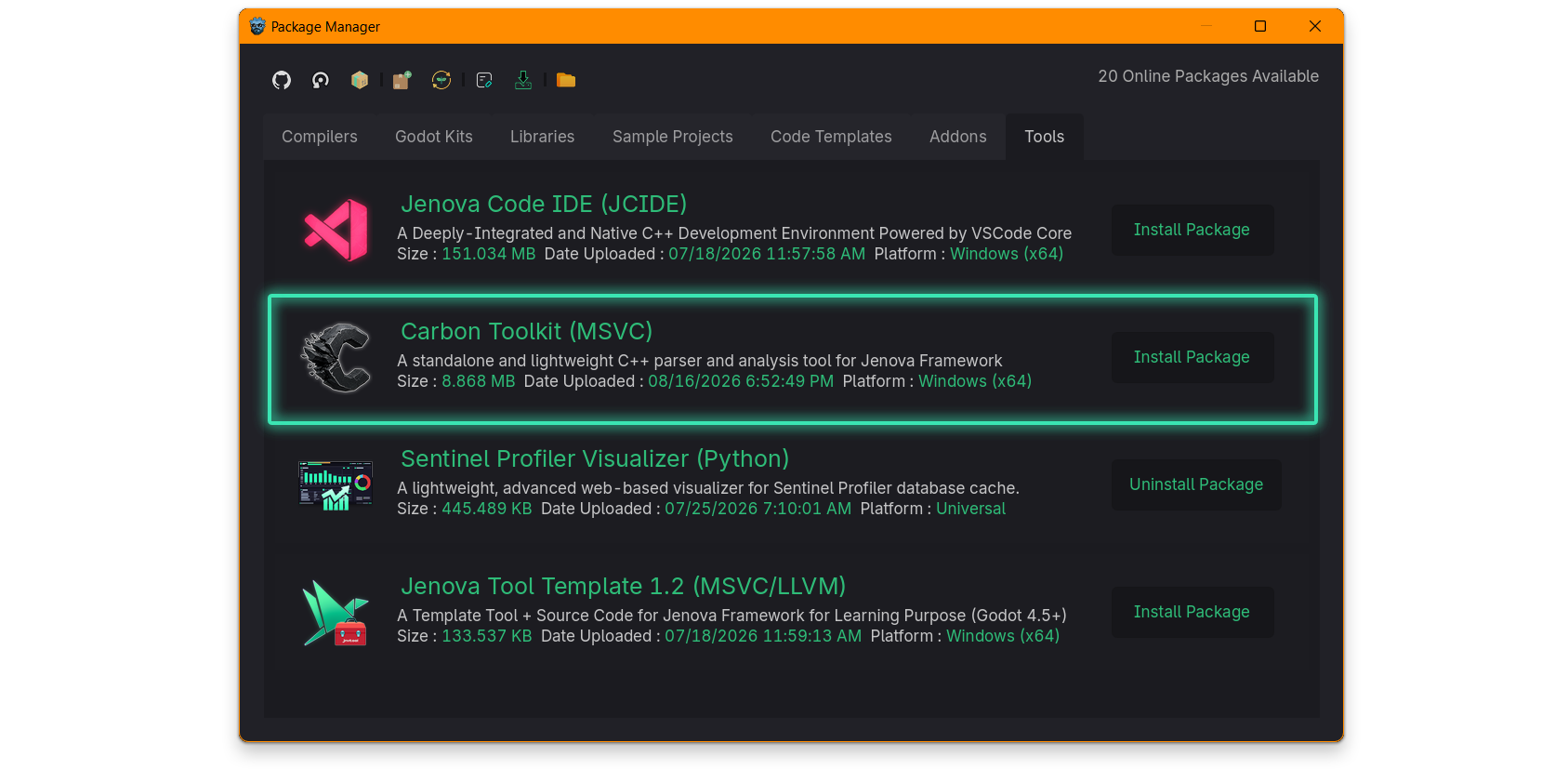
To start writing Carbon Scripts, you'll need to install the Carbon Toolkit from the Package Manager.
-
Open the Package Manager from the menu Jenova > Tools >
 Package Manager > Tools
Find the proper Carbon Toolkit package, then click the Install Package button. -
Create a new C++ script. In the Create Script dialog, select the Carbon Script smart template for quicker setup.
-
That's it! Now you can start C++ scripting :)
Carbon vs Jenova
What sets Carbon apart is that it's the high‑level tier of the Jenova Framework scripting stack :
- Low‑Level : Raw Jenova C++ with full control over architecture (No glue code)
- High‑Level : Carbon transpiled C++ with streamlined ergonomics (With glue code)
- Extensions : GDExtension‑style modules with Hot-Reload aka Nested Extensions
Carbon focuses on an easier experience while remaining fully compatible with the underlying Jenova engine.
Carbon Components
Here's a list of the current components of the Carbon ecosystem :
- Carbon Analyzer : Responsible for analyzing C++ scripts using context-aware Deep-AST parsers.
- Carbon Transpiler : Responsible for transpiling Carbon C++ scripts to Jenova C++ scripts.
- Carbon Code Generator : Responsible for generating glue code between Carbon and the Jenova ecosystem.
- Carbon Syntax Highlighter : A high-performance C++ syntax highlighter powered by Prism.
Syntax Highlighter
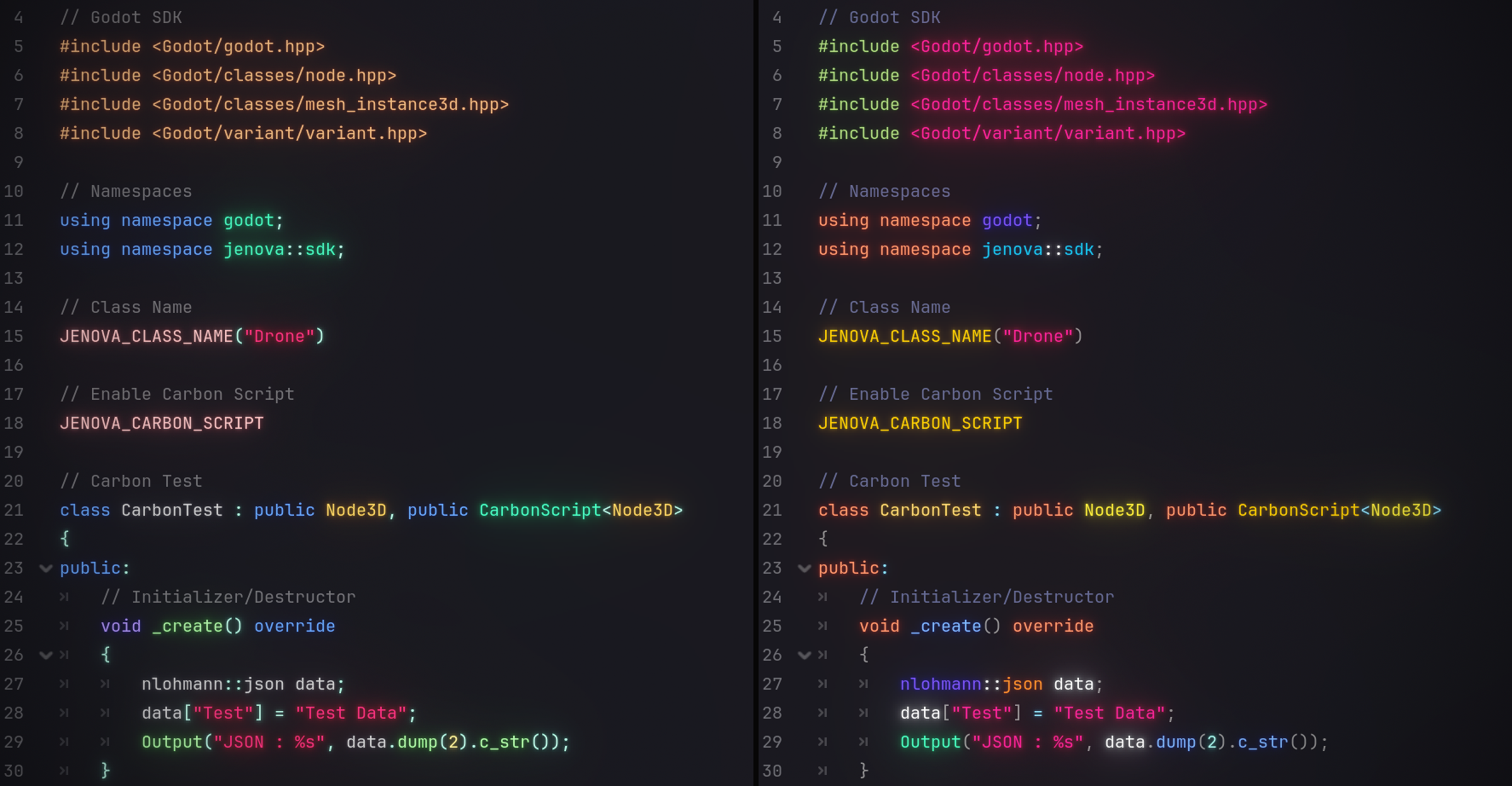
To take advantage of Carbon Toolkit's improved C++ Syntax Highlighter within the engine's Script Editor, simply open any C++ script in the Script Editor, navigate to Edit > Syntax Highlighter from the top menu and select C++ Language (Carbon)
Performance Tips
Due to extra build steps, Carbon Scripts require more time to compile than Jenova scripts. To speed up analysis :
- Avoid including large header files, more headers in your script slow down analysis.
- Move core and layered code to separate C++ files and invoke them from Carbon Scripts.
- Logic inside Carbon‑driven classes has minimal impact on compiler performance.
- This compile‑time performance difference does not affect the final compiled code.
Summary
Carbon is a next‑generation C++ scripting fabric for Godot. It combines the clarity of high‑level scripting, the structure of component‑based design, the metadata of modern engines, the performance of native C++ into a single, unified system.
Projekt Carbon is not related to Google’s Carbon Language.
The two projects share a similar name but have no connection, overlap or shared use‑cases.